
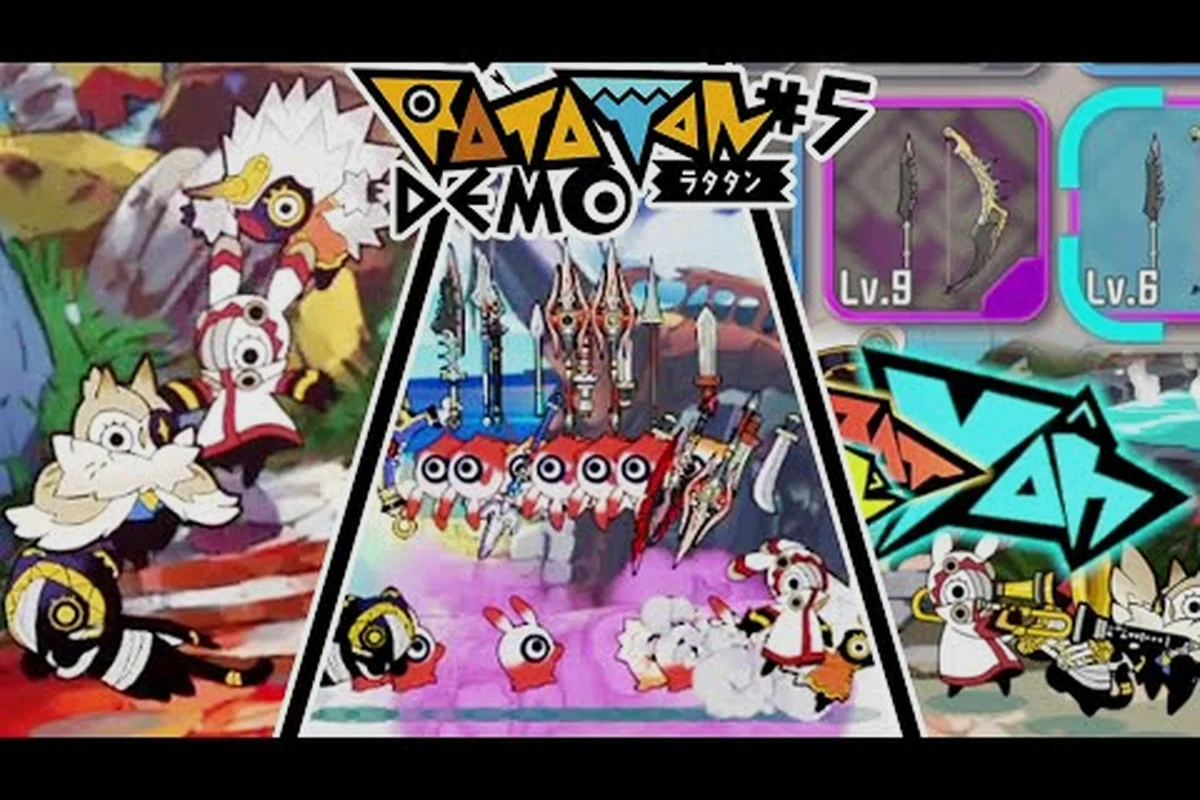
Ratatan launched simultaneously on four storefronts for Version 1.0, which means most players can jump into the same room regardless of whether their squad runs Steam, Switch 2, or Xbox Series X|S. The exception worth flagging up front is PlayStation 5, which the official FAQ currently lists as a same-platform-only experience with cross-play support planned for a near-future patch. The room-code and friend-invite system underneath is the same on every platform, so once you learn the flow on one console, swapping to another only takes a few minutes of settings tweaking.
How Cross Platform Co-op Works in Ratatan
The Version 1.0 release shipped with full cross-play enabled between Steam, Nintendo Switch 2, and Xbox Series X|S, while the PS5 build was held back from the same network pool to give the team room to verify performance on Sony's hardware. According to the Ratatan Switch 2 product listing, online co-op on Nintendo's platform requires an active Nintendo Switch Online subscription, and the same pattern repeats on every other platform with its own respective paid online tier (PS Plus on PlayStation, Xbox Game Pass Core or Ultimate on Microsoft consoles, and a free Steam login for the PC build).
Save data, however, does not travel with you. The Ratatan PlayStation Store page notes that progress started on one platform stays on that platform, and the same restriction applies across all four stores. Treat each platform as a separate profile and plan farming sessions on the platform where you intend to keep your unlocked episodes, oath levels, and post-game rewards.
| Platform | Online Sub Required | Cross-Play Active at Launch | Save Transfer |
|---|---|---|---|
| Steam (PC) | Free Steam login | Yes (with Switch 2, Xbox) | No |
| Nintendo Switch 2 | Nintendo Switch Online | Yes (with Steam, Xbox) | No |
| Xbox Series X|S | Xbox Live (Core or Ultimate) | Yes (with Steam, Switch 2) | No |
| PlayStation 5 | PlayStation Plus | No (planned, not yet live) | No |
The Room-Code System
Every multiplayer session in Ratatan is anchored by a six-character room code that the host generates from the lobby screen. Codes use uppercase letters and digits, which makes them readable even on a phone screenshot, and they refresh every time the host opens a new lobby so a stale code from yesterday cannot be reused against the same room. The host can pin a code to the in-game friend list, share it through Steam's invite overlay, or paste it into any chat client the squad already uses.
The receiving player opens the co-op menu, selects "Join with Code," and types the six characters. There is no separate friend-list prompt for code entry, so a player who has never added the host on their platform's friends list can still hop in as long as they have the code. Once four players have joined, the room auto-locks and a countdown to stage start begins. If anyone disconnects during the countdown, the host can either wait for them to reconnect or kick them and pull in a replacement through matchmaking.
Friend Invites Versus Matchmaking
Ratatan splits co-op entry into two distinct paths. Friend invites use each platform's native overlay (Steam Friends, Nintendo Switch Online friend list, Xbox Live party system) to push a notification directly to a specific player. Matchmaking uses the in-game pool of public rooms filtered by region, difficulty, and episode progress. Players who have already added each other through the platform's friends list will see a small "Friend in Lobby" tag above rooms, which is the fastest way to skip straight to a friend without typing a code.
If neither path works, the host can mark the room as "Open to Public" and let matchmaking fill the remaining slots automatically. The room's region tag (NA-East, EU-West, Asia-Pacific, etc.) determines which server pool matchmaking pulls from, so squad members on different continents should pick a neutral region or expect higher latency on the auto-assigned shards.
Setting Up Cross Platform Play Step by Step
Getting the four-platform dance to work usually comes down to a handful of toggles that are easy to miss during the first boot. The steps below assume a fresh install on each platform and cover the common pitfalls players have run into during the launch window.
Step 1: Confirm Your Online Subscription Is Active
Before you touch any in-game setting, make sure the platform-level subscription is current. Steam players only need to be signed in, but Switch 2 owners must have Nintendo Switch Online, Xbox players must have an active Xbox Live tier, and PS5 players need PlayStation Plus even though cross-play is not yet live. The game checks this at the title screen and will throw a "Service Unavailable" error if the subscription lapses, which some players mistake for a matchmaking bug.
Step 2: Enable Cross-Play in the In-Game Settings
Open the pause menu, head to Options, then Network. The first toggle reads "Cross-Platform Play" and ships ON by default on every platform. If a squadmate reports they cannot see your room, this is the first toggle to check on their end. Below it sits a region preference selector that defaults to Auto; pinning it to a specific region is the easiest way to cut matchmaking latency by 30-50 ms when the auto-detect picks the wrong shard.
Step 3: Link or Verify Your Friend List
Ratatan piggybacks on each platform's native friend system rather than running its own social graph. To see a friend's room appear in your "Friend in Lobby" list, both parties must be friends on the underlying platform — Steam Friends for PC, Nintendo Switch Online for Switch 2, Xbox Live for Microsoft consoles, and PSN for PlayStation. Adding someone in the platform's friends list does not require them to be online; the friend tag will appear next time they boot the game.
Step 4: Create or Join a Room
The host taps "Create Room," picks an episode and difficulty, and waits for the six-character code to render at the top of the lobby. Squadmates select "Join with Code" and enter the string. Codes do not expire while the host stays on the lobby screen, but closing the lobby re-rolls a new code on the next open. Players can also use "Quick Match" to drop into a public room, which the matchmaking guide in the next section breaks down in detail.
Step 5: Verify Everyone Loaded In
The lobby shows four player slots in a 2x2 grid. If only three load in, the fourth slot reads "Awaiting Player" and the countdown pauses automatically. Hosts can adjust difficulty while waiting, but they cannot start the run until all four slots are filled or the missing slot is explicitly kicked. Once the countdown hits zero, the stage loads and players are locked in until the run completes or the party wipes.
| Step | Action | Common Failure | Fix |
|---|---|---|---|
| 1 | Confirm online sub | "Service Unavailable" on title screen | Renew the platform's paid tier |
| 2 | Toggle Cross-Platform Play | Friend cannot see host's room | Both parties verify the toggle is ON |
| 3 | Link friend list | "Friend in Lobby" tag never appears | Add friend on the platform's native system, then relaunch |
| 4 | Enter room code | "Code Not Found" error | Re-copy the code; the host may have re-rolled |
| 5 | Verify all four slots | Countdown stuck on 3/4 | Re-invite the missing player or kick and use Quick Match |
Ratatan Matchmaking Guide for Public Rooms
Not every session needs a friend invite, and Ratatan's matchmaking pool is large enough at launch to fill a four-player lobby in under a minute during peak hours. The pool does thin out during off-peak windows (early morning UTC and late-night NA time zones), so knowing how to tune your filters saves a lot of waiting.
How Quick Match Picks a Room
Quick Match reads three filters before pulling a room: episode progress, difficulty, and region. Players who have not unlocked Episode 2 will be matched into Episode 1 lobbies only, and players who have selected Welcome Mode will not be paired with players running Hardcore. The region filter defaults to the geographic area the platform detects, but switching to "Any" opens up cross-continental play at the cost of higher latency — usually 120-180 ms on transatlantic routes, which is playable but noticeably looser on rhythm-command timing.
Difficulty Filters and Squad Composition
Ratatan ships with four difficulty bands, and the matchmaking pool weighs the highest difficulty in the party rather than the lowest. That means a three-player group of Welcome Mode runners who pull in a Hardcore player through matchmaking will end up playing the Hardcore variant, which usually ends the run in under three minutes. The community workaround is to set the lobby to private, share the code with three friends of matching skill, and skip the public pool entirely for difficulty-mixed squads.
| Difficulty | Recommended Squad Size | Avg. Run Length | Matchmaking Wait (Peak) |
|---|---|---|---|
| Welcome Mode | 2-4 | 12-18 min | <30 sec |
| Normal | 3-4 | 15-22 min | 30-90 sec |
| Hard | 4 (full) | 18-25 min | 60-120 sec |
| Hardcore | 4 (full) | 20-30 min | 90-180 sec |
Single Player Versus Matchmaking
Ratatan single player is fully supported offline, and the AI companion system that fills the missing three slots runs a separate balance pass from the co-op encounters. Boss HP, spawn rates, and loot tables all scale to a single player differently than they do in a co-op room, which is one reason players chasing the Episode 4 ending often run a solo seed before bringing a squad into the same route. The matchmaking guide logic does not apply to offline play at all — solo runs go through the single-player lobby, which is reachable from the title screen without any network check.
For a deeper breakdown of the difficulty bands and how the AI companion system reads command timing, the Ratatan difficulty guide covers the Welcome Mode to Hardcore ladder in detail.
Common Cross-Platform Pitfalls and How to Avoid Them
Most of the support volume the team has fielded since launch centers on three recurring issues, all of which are fixable in under five minutes once you know where to look. None of them require a reinstall or a cache wipe, which is the most common mistake players make when troubleshooting.
Pitfall 1: PlayStation 5 Stuck in Same-Platform-Only
The PS5 build is the odd one out because cross-play is on the roadmap but not yet active. Players on PS5 will see the cross-platform toggle in the settings, but the network code currently routes PS5 lobbies into a separate pool that only other PS5 players can join. Until the patch lands, the official advice from the developer's Discord server is to play with other PS5 users and watch the patch notes for the cross-play rollout. Switching platforms for a single cross-platform session is not practical because save data does not transfer, so a squad that includes a PS5 player is effectively locked to four-on-Sony until the update ships.
Pitfall 2: Room Code "Not Found" Errors
The "Code Not Found" error usually means the host has already closed the lobby and re-rolled a new code. Six-character codes are non-sequential and not case-sensitive, but they are short-lived — the moment the host exits to the main menu, the code is invalidated. If a squadmate insists the code is correct, ask the host to read it out one character at a time, and watch for transposed letters like O/0 or I/1, which are the most common typos.
Pitfall 3: Region Auto-Detect Picking the Wrong Shard
Auto-detect reads the platform's locale and the public IP, which usually lands on the closest regional server but occasionally misfires for players on VPNs, university networks, or mobile hotspots. If matchmaking is consistently slow or latency is jumping above 200 ms, pin the region manually in the Network settings. The community has measured a 30-50 ms improvement in most cases when the region is forced rather than auto-detected.
Pitfall 4: Friend List Tag Never Appearing
The "Friend in Lobby" tag only renders for players who are friends on the underlying platform. Adding someone in Discord, in a Steam chat group, or in-game does not count — the system reads Steam Friends, Nintendo Switch Online, Xbox Live, and PSN directly. Players who confirmed the friendship on the platform but still do not see the tag should relaunch the game, which forces a fresh friend-list sync.
| Pitfall | Symptom | Root Cause | Fix |
|---|---|---|---|
| PS5 same-platform-only | PS5 players invisible to other platforms | Cross-play not yet patched in | Wait for the update; play with other PS5 users in the meantime |
| "Code Not Found" | Squadmate cannot enter the room | Host re-rolled the code | Host stays in lobby; re-share the new code |
| Wrong region shard | Latency 200+ ms | Auto-detect misfired | Pin the region in Network settings |
| Missing friend tag | "Friend in Lobby" never appears | Friends added on wrong platform | Add on Steam/Nintendo/Xbox/PSN directly, then relaunch |
Co-op Etiquette and Squad Roles
The room system handles the technical side, but a four-player Ratatan run is more fun when the squad has a rough idea of who is doing what. The game does not hard-lock classes, but the rhythm-command system rewards a balanced composition, and the matchmaking pool tends to roll classes randomly. A common community convention is to call roles in the lobby before the countdown hits zero, especially on Hard and Hardcore difficulties where a single missed command can wipe the run.
Suggested Squad Compositions
A balanced four-player squad usually runs two frontline fighters, one support that focuses on the rhythm-command buffs, and one ranged specialist that handles the backline adds. The exact class names shift with each episode unlock, but the role split stays consistent. For a full breakdown of which classes pair well with each other and how the rhythm-command timing windows work, the Ratatan beginner guide walks through the core combat loop in detail.
Loot Distribution Rules
There is no built-in loot trading system, so the squad has to agree on a distribution rule before the run starts. The two most common community conventions are "Need Before Greed," where the first player to need an item wins the roll, and "Round Robin," where loot cycles through the squad in a fixed order. Either works, but mixing the two mid-run is a fast path to squad friction.
When to Cut a Run Short
The Episode 4 ending requires a clean run through all earlier episodes, and most squads will wipe a few times before the route clicks. The community recommendation is to call a run after three consecutive wipes on the same boss rather than grinding through frustration, which usually means regrouping, swapping a class, and restarting with a fresh rhythm-command rotation. For the unlock conditions on Episode 4 and the post-game loop, the Episode 4 unlock guide lays out the full path from the first run to the ending.
| Role | Primary Job | Recommended for Difficulty |
|---|---|---|
| Frontline Fighter | Aggro control, boss DPS | All four difficulties |
| Support / Buffer | Rhythm-command buffs, heals | Normal and above |
| Ranged Specialist | Backline adds, ranged interrupts | Hard and above |
| Flex | Fills gaps, handles revives | All four difficulties |
Frequently Asked Questions
Does Ratatan support cross platform play at launch?
Yes, cross platform play is active at launch between Steam, Nintendo Switch 2, and Xbox Series X|S. The PS5 build is on the same network code but is currently restricted to same-platform matchmaking while the developer finishes a near-future patch. According to the official FAQ on the PlayStation Store, the PS5 cross-play update is planned for a near-term release rather than a date-specific drop.
How do I get a Ratatan room code to play with friends?
The host opens the co-op menu, taps "Create Room," and the lobby generates a six-character code at the top of the screen. Share that code through any chat client or the platform's native invite overlay, and the receiving players select "Join with Code" from the co-op menu. Codes refresh whenever the host closes and reopens the lobby, so a stale code will not work.
Can I play Ratatan single player without an internet connection?
Yes, Ratatan single player runs fully offline, and the AI companion system fills the missing three slots with a separate balance pass. The matchmaking guide and room-code system only apply to the co-op menu, which is a separate entry point from the title screen. Solo players never need an online subscription or a friend list to start a run.
What is the difference between friend matchmaking and Quick Match in Ratatan?
Friend matchmaking uses each platform's native friend list to surface rooms that already include a friend, while Quick Match drops you into a public room filtered by episode, difficulty, and region. The Ratatan friend matchmaking experience is faster and more reliable because it skips the public pool, but Quick Match is the only way to fill a room when friends are offline. Most squads combine both: pull two friends through friend matchmaking and fill the remaining slot through Quick Match.
Will my save data carry over if I switch platforms for a co-op session?
No, save data is locked to the platform where the run was started. A progress file on Steam stays on Steam even if you log in on Switch 2 for a single co-op run. Plan your farming sessions and Episode unlocks on the platform you intend to keep playing on, and treat cross platform sessions as fresh starts for the visiting player.